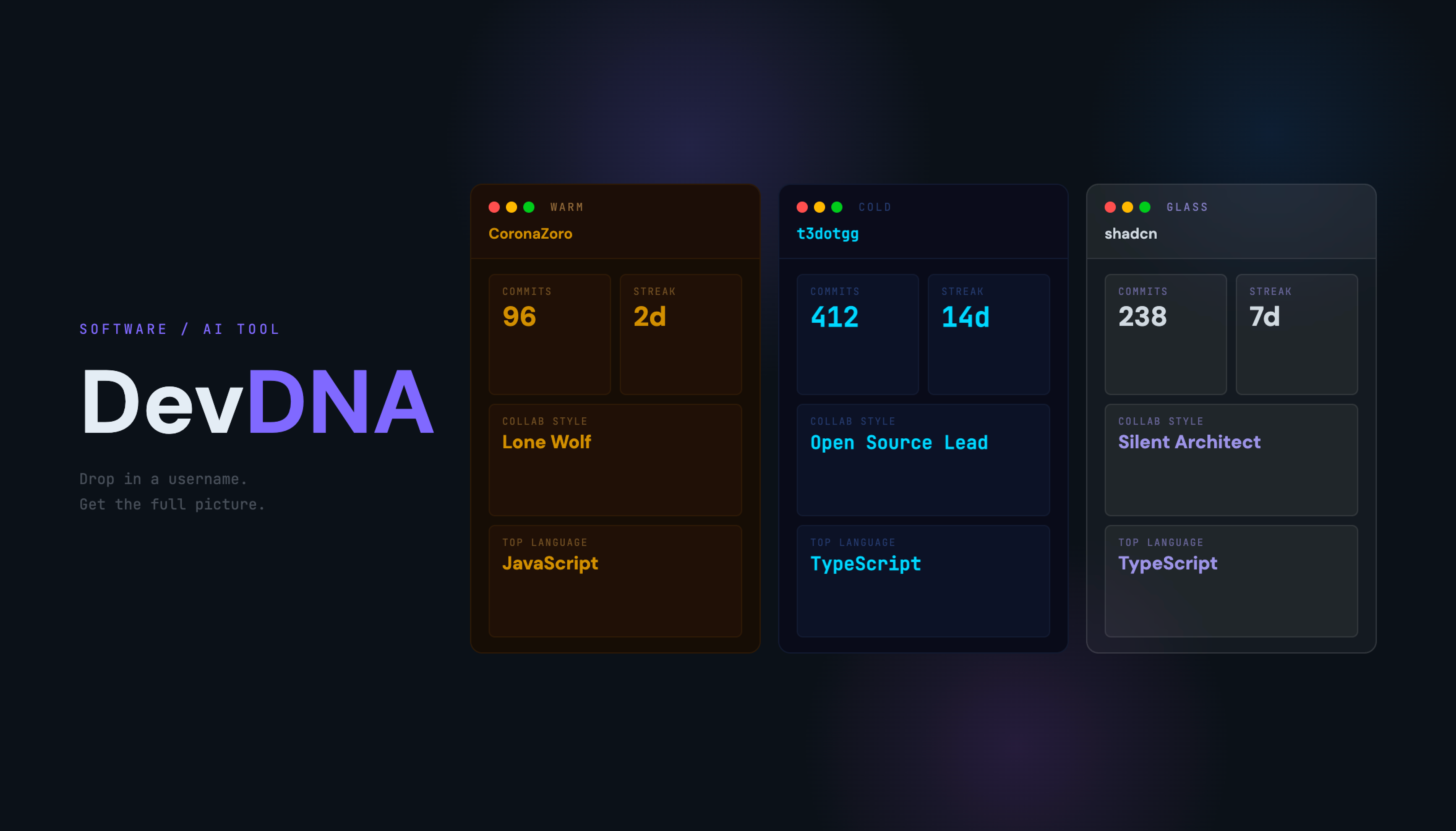
DevDNA.
Drop in a GitHub username. Get a complete read of the engineer behind it.
$ devdna analyze <username>
A profile full of green squares tells you nothing about the engineer behind them.
GitHub profiles are aesthetic. Customized READMEs, pinned repos, contribution graphs — they look impressive. But none of it tells you how someone actually writes code, when they work, or whether their commit habits suggest a disciplined engineer or someone who ships everything at 2am before a deadline.
I — The Aesthetic Problem
Developers spend hours making their profile look good. Badges, shields, animated banners. It looks great. It says nothing about how they actually code.
II — The Information Gap
Commit cadence, language trajectory, coding time patterns, message quality — the signal is all there in the data. Nobody is reading it.
III — The Recruiter Problem
A hiring manager opening a GitHub profile sees a grid of squares and a list of repo names. There’s no layer that translates raw activity into readable signal.
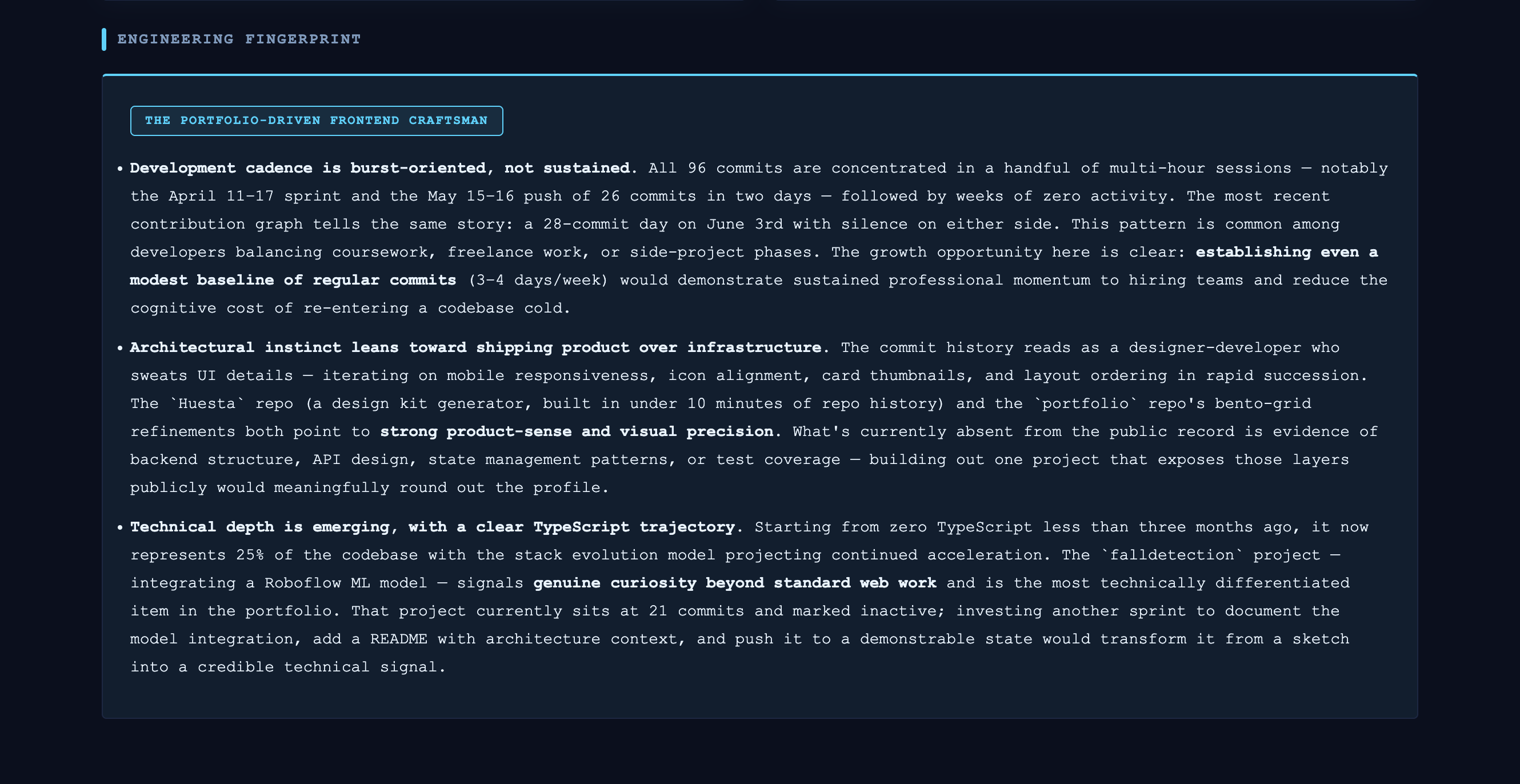
I ran it on my own GitHub first. Here’s what it found:
independent AI analyses run in parallel — fingerprint, commit score, health audit.
GitHub shows you the commits. DevDNA shows you the developer.
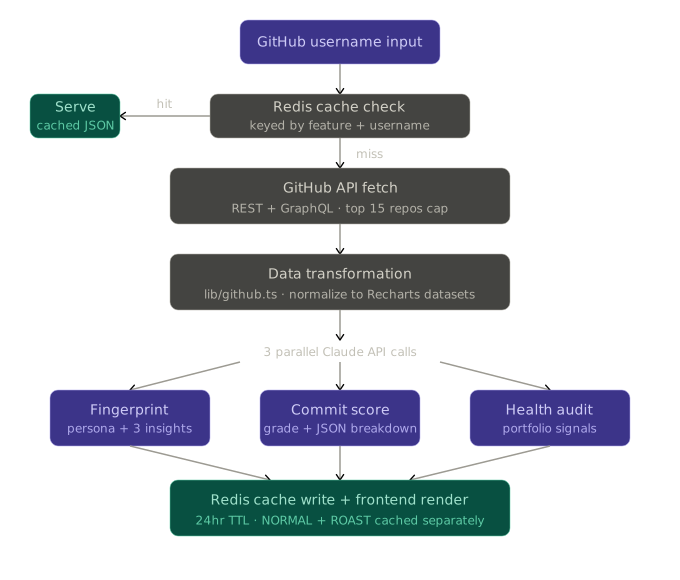
Drop in any GitHub username and DevDNA runs it through a four-stage pipeline. Fetching your activity, transforming raw data into readable signals, running three parallel AI analyses, and serving everything cached and fast. No setup. No configuration. Just a username.
Data Ingestion
Top-15 repos by pushed_at, commit history, language breakdown. Under 20 API calls.
Signal Extraction
Raw commits become time buckets, cadence scores, message quality grades, and language vectors.
Parallel AI Calls
Three independent Claude calls run simultaneously — Fingerprint, Commit Score, Health Audit.
Cached Delivery
Every result cached in Upstash Redis at the feature level. 24h TTL. Mode-aware.
01
Engineering Fingerprint
Archetypal persona + 3 sharp, specific insights grounded in your actual data.
02
Commit Story
Last 50 commits scored, graded, broken down. Message quality is a signal.
03
Stack Trajectory
Where your languages are trending. Predictive without any ML model.
Built to survive real traffic without burning through API credits.
Every architectural decision was made with two constraints in mind: GitHub’s rate limits and Claude API costs. The pipeline runs four stages — data ingestion, transformation, AI analysis, and cached delivery.
I — Top-15 Repo Cap
GitHub’s unauthenticated API allows 60 req/hr. Sorting by pushed_at and capping at 15 repos keeps every full analysis under 20 calls enough headroom for concurrent users without needing auth.
II — Parallel Claude Calls
Fingerprint, Commit Score, and Health Audit are independent. Running them in parallel instead of sequentially cuts total AI response time by approximately 60%. Each uses a deterministic system prompt engineered to return structured output.
III — Mode-Aware Cache
Every response is cached at feature level in Upstash Redis with a 24h TTL. NORMAL and ROAST modes cache separately, switching modes on the second view is instant. Caching the whole page would invalidate clean data on a mode toggle.
IV — Stack Trajectory Without ML
Repos split into three time buckets. Language share calculated per bucket. Acceleration vector extrapolated forward six months. Directionally accurate with no training data, no model, no cold start.
What DevDNA actually tells you.
Everything about your GitHub. At a glance.
From contribution heatmap to language breakdown, commit velocity to coding time patterns, DevDNA surfaces the full picture of how you work the moment you land on the page.
Same data. Completely different read.
Normal mode gives you a professional analysis. Roast mode gives you the version your brutally honest senior engineer would write. Both are cached separately so switching is instant on the second view.
Lazy-loaded. Only analyzed when you need it.
Every repository can be expanded for an AI-generated summary. Claude only analyzes a repo when you click it, keeping the initial page fast and API costs proportional to actual usage.
An archetypal read of how you actually engineer.
DevDNA reads your commit patterns, language trajectory, and coding habits. Then distills it into a persona label and three sharp, specific insights. No generic output. Everything grounded in your actual data.
What this project taught me.
Caching is system design, not an afterthought.
Getting the cache architecture wrong has real consequences such as burned API credits, stale data, or a mode toggle that invalidates perfectly good GitHub data. Thinking about what to cache, at what level, and for how long forced me to think about the system holistically before writing a single line.
Parallel API calls are worth the complexity.
Running three Claude calls sequentially felt simpler at first. The 60% speed difference changed my mind. Thinking about what can run independently versus what depends on prior output is now a habit I bring to every API-heavy project.
Prompt engineering is an output contract.
Generic prompts produce generic output. The breakthrough was treating each Claude call as a structured contract — specifying exact output format, anti-patterns to avoid, and grounding instructions that force the model to work from the data rather than fill gaps with assumptions.
Building for yourself is the best user research.
Running DevDNA on my own GitHub first wasn't just a test. It told me immediately what felt useful and what felt hollow. The roast mode came from that session. The best product decisions came from being the user.